Heymarket
Business text messaging for customer support teams.
About this app
Heymarket for Zendesk
Heymarket turns Zendesk into an omnichannel messaging platform for customer support teams. Give your agents a shared inbox for SMS, MMS, RCS, WhatsApp, and more — with AI agents that automate the repetitive work and an AI copilot that helps humans respond faster and better.
Text-enable an existing phone number while keeping voice service intact, or provision a new number with call forwarding. Every conversation logs to the right ticket automatically.
Why support teams choose Heymarket
- Map Zendesk Groups and Brands to multiple inboxes — route messages by team, region, product line, or brand so the right agents see the right conversations
- AI agents that take action — autonomously qualify, triage, tag, and respond to routine inquiries 24/7, escalating to humans when needed
- AI copilot for agents — suggested replies, summarization, tone adjustment, and translation to help agents respond faster
Compliance and consent, built in
Messaging regulations are complex. Heymarket handles them for you:
- TCPA compliance — enforce express written consent, honor time-of-day restrictions, and maintain a full consent audit trail
- Automatic opt-out management — STOP, UNSUBSCRIBE, CANCEL, and custom keywords are honored instantly across all channels, with opt-in keywords supported for re-engagement
- Quiet hours — configurable per inbox, brand, or time zone to prevent messages outside allowed hours
- 10DLC registration and management — brand and campaign registration handled with carrier compliance built in
- Enterprise security — SOC 2 Type II, HIPAA support, SAML SSO, audit logs, and dedicated numbers
Full integration feature set
- Assignments — assign chats to agents or teams
- Auto Response — automated replies based on time, first incoming message, or specific keywords
- Automations — trigger/action framework to auto-assign chats or add users to lists
- Templates — reusable messages with merge tokens for personalization at scale
- Private notes — internal collaboration on any conversation
- Notifications — intelligent desktop and mobile alerts with configurable do-not-disturb
- Reports — usage and team performance dashboards, including agent KPIs
- Native mobile apps — award-winning iOS and Android apps
- Administration — granular user permissions, integrations, and custom fields
- Lists and campaigns — proactive outreach with targeted messaging
Support you can count on
Real human support — not chatbots. Every customer gets onboarding, a dedicated help center, live chat, and email support. Enterprise plans include a dedicated CSM, priority SLAs, and quarterly business reviews.
Get started
Install Heymarket for Zendesk to give your support team an AI-powered omnichannel messaging platform with compliance handled — or book a demo to see it in action.
Learn how we handle your data in our Data Processing Agreement
Learn about our privacy policy
Informatie over app
Installatie-instructies
Heymarket’s Zendesk integration will automatically create and push business text messages to your Zendesk ticket queue. You will be able to view the SMS both in Zendesk and in Heymarket.
There are two type of integrations between Heymarket and Zendesk.
Heymarket Widget
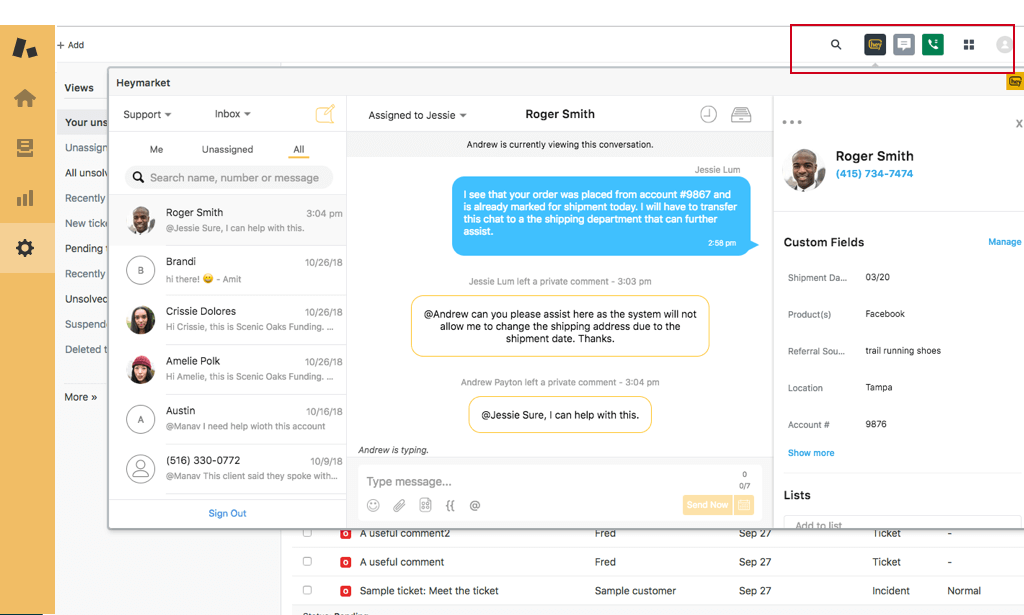
The widget app allows your agents to use Heymarket within Zendesk. They can read, reply, and send new text messages from the widget. Contacts do not sync with this integration.
Follow these steps to enable the widget integration:
- If you don’t already have one, sign up for a Heymarket account.
- Go to the Heymarket listing in the Zendesk Marketplace
Install the app
Sign in with your Heymarket account
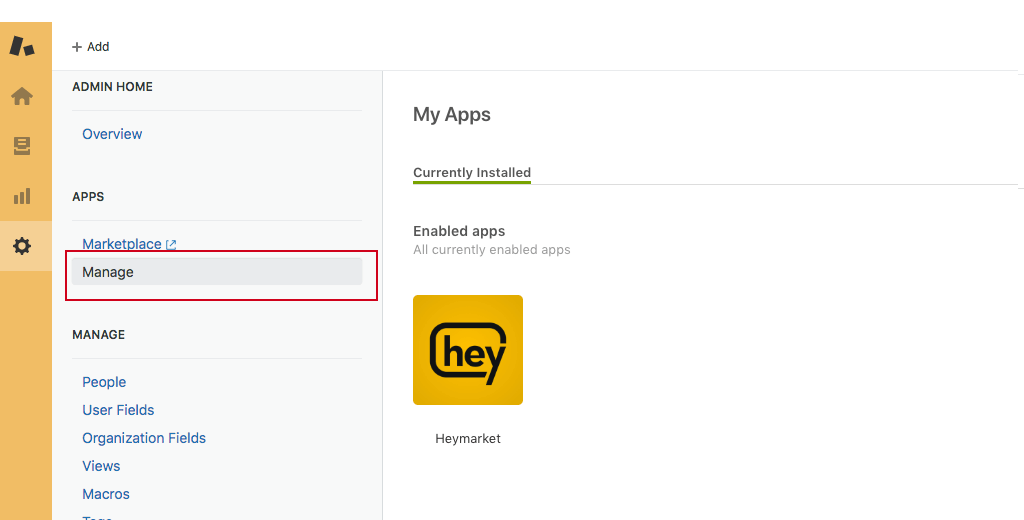
- From the Zendesk Admin Home / Apps / Manage section, you should now see Heymarket listed as an installed app.
- Your agents will now see a Heymarket logo in the top right corner of Zendesk. When clicked, they can access text messages.
Channel Integration
The Heymarket channel integration automatically creates a Zendesk ticket for all incoming text messages and lets agents respond directly from Zendesk. Contacts will also be automatically created in Zendesk for incoming text messages from your contacts in Heymarket.
- If you don’t already have one, sign up for a Heymarket account.
- Go to the Heymarket listing in the Zendesk Marketplace
- Go to the Zendesk Admin Home / Channels / Channel Integrations
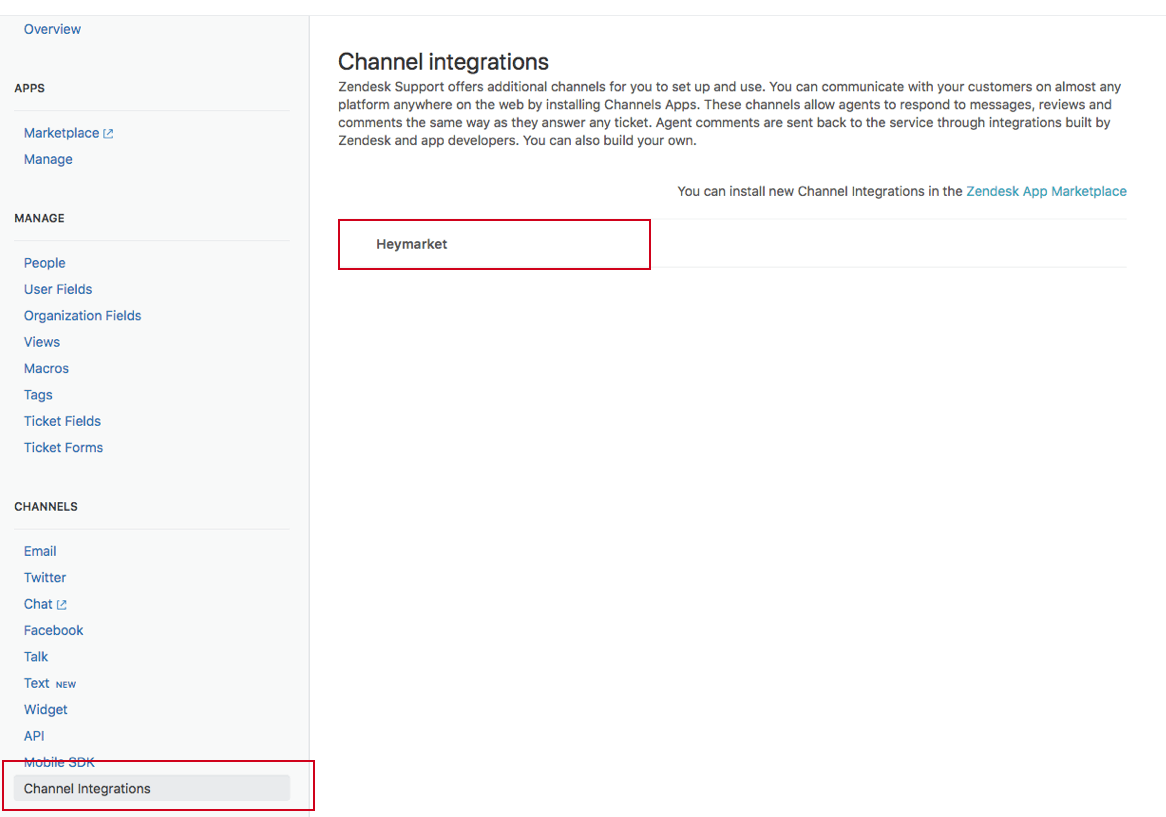
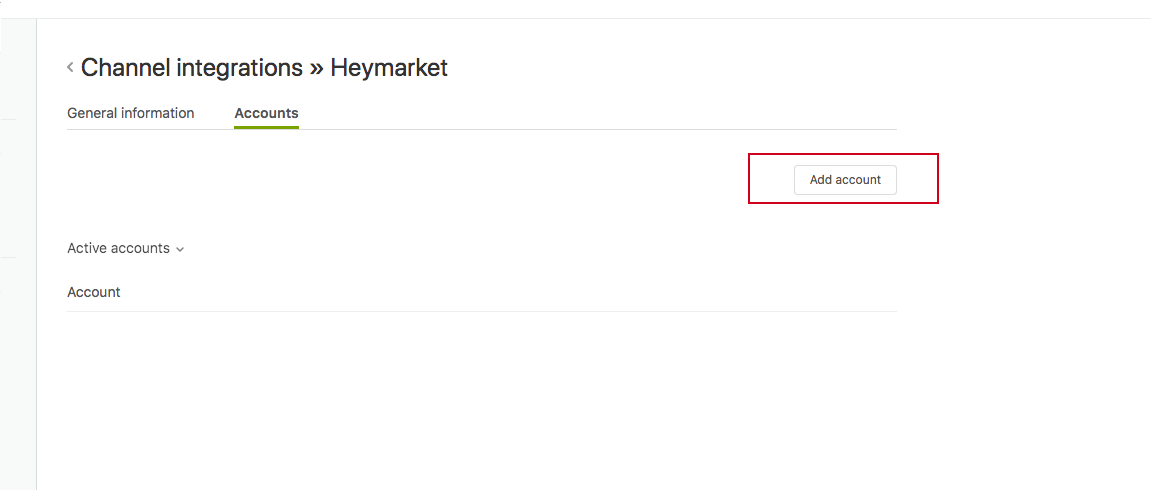
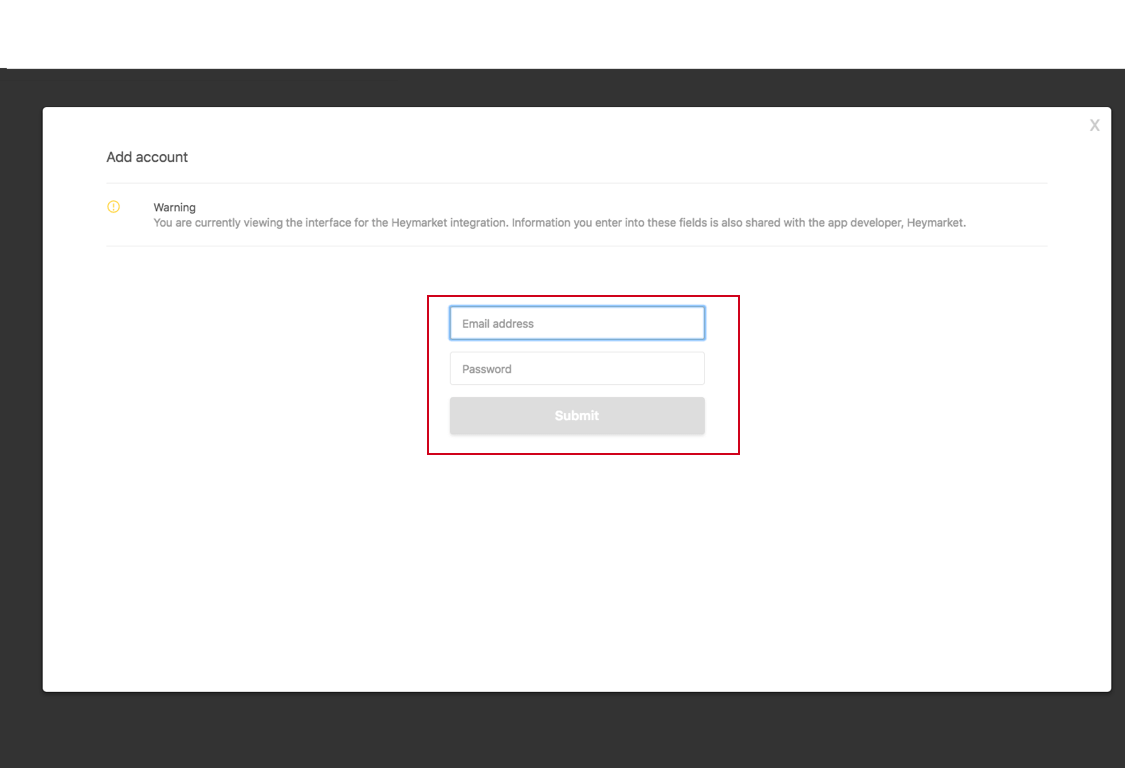
- Click on ‘Heymarket’, then on “Add Account” and log in with your Heymarket account
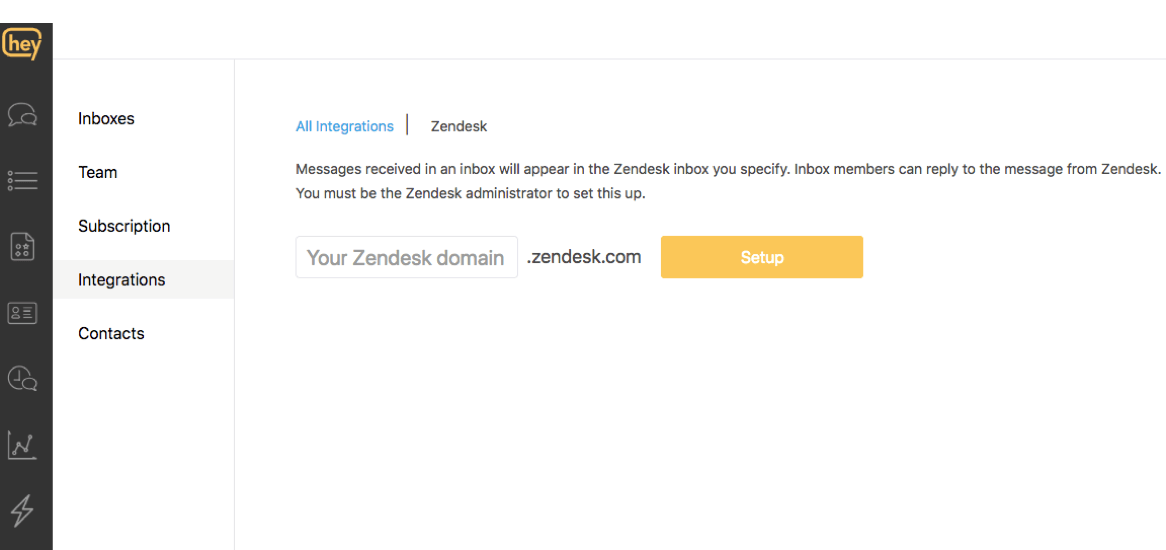
- From Heymarket, go to Administration / Integrations / Zendesk and map your Zendesk account with the appropriate Heymarket inbox
Laat een beoordeling achter
Deel je ervaring met de rest van de Zendesk-community